
Most often, when dealing with degraded audio/sound quality, the cause may be as simple as a misconfiguration of the installed audio device, the inadvertant/unintended activation of an "audio enhancement" within the audio device driver setup, or the incorrect use of an effect (echo etc.) within an attached audio mixer.
First, ensure ALL audio enhancements, including those available within Windows or possibly offered by the installed audio/sound device driver are DISABLED and TURNED OFF.
To do so...
- Open the Windows Control Panel.
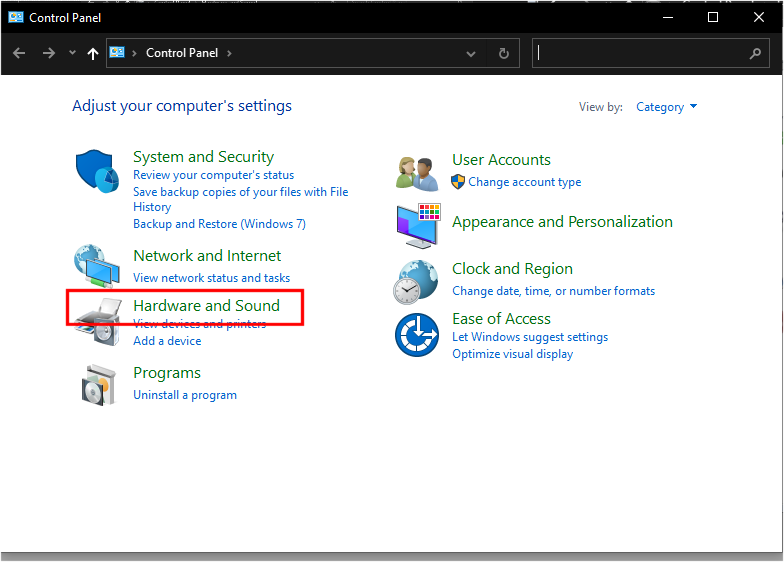
- Select "Hardware and Sound" (see image above)
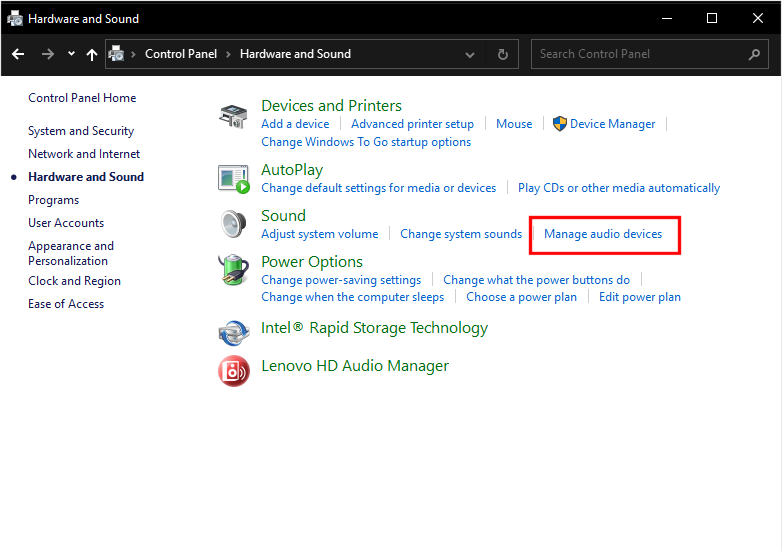
- Select "Manage audio devices" (see image above)
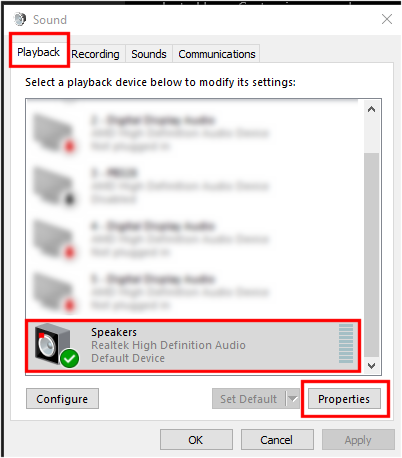
- Select the tab labeled "Playback" (see image above)
- Select the applicable Sound Device (see image above)
- Select the button labeled "Properties" (see image above)
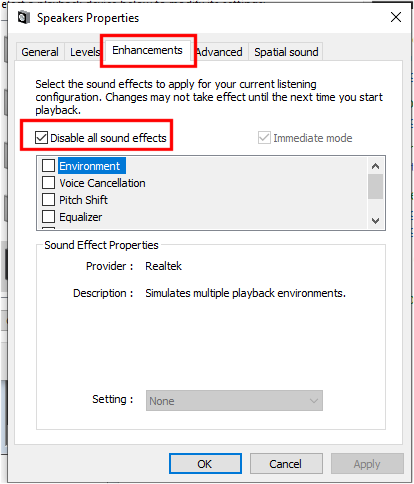
- Select the TAB labeled "Enhancements" (see image above)
- Ensure the option labeled "Disable all sound effects" is activated. If the option is not available, manually ensure ALL effects listed are UNCHECKED (disabled).
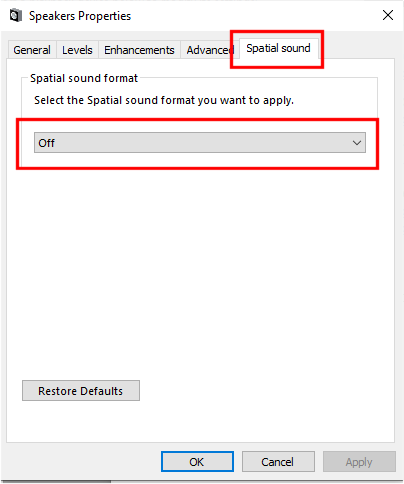
- Finally, select the tab labeled "Spatial sound" and ensure the option is set to "OFF" (see image above).
- Select "OK" and close all open dialogs.
REBOOT COMPUTER AND TEST TO SEE IF THE ISSUE iS RESOLVED. IF NOT...
The issue may be caused by the incorrect use of audio effects within an attached audio mixer.
- Ensure that ANY and ALL effects (echo etc.) are applied ONLY to the attached microphone channels, and not inadvertantly applied to the line-in channel (input from attached CompuHost computer). Any effects applied to the line-in channel (attached to CompuHost computer) may, and often will adversely effect overall sound quality of the backing instrumentals.
And finally, if all of the above fails to resolve the issue, it may simply be the result of one or more of the following...
- The audio file(s) may have originally been ripped/encoded using a lower audio quality setting (bit-rate), and thus negatively impacting the overall sound quality.
- The computer may be equipped with a lower quality audio/sound device (common within low cost, entry level computers)
- The attached sound equipment, audio mixer, amplifier, speakers and/or cabling may be failing, unreliable, misconfigured or incapable of providing high quality audio, most notable within larger environments/venues.
We sincerely hope this helps.