
IMPORTANT! Please ensure the target CSV file is properly formatted and saved as an industry standard CSV (Comma Separated Values) file before proceeding. Other spreadsheet formats (Tab delimited etc.) are NOT supported.
To import third-party created CSV files into Songbook Creator+ Songbook...
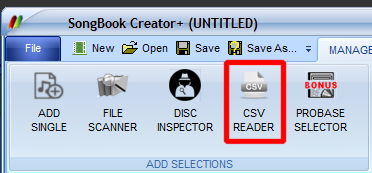
- Select "File->CSV READER"
- In Step 1, locate and select the target CSV (Comma Separated Values) file.
- In Step 2, select from one of the already configured CSV presets provided or select "<CREATE NEW PRESET>".
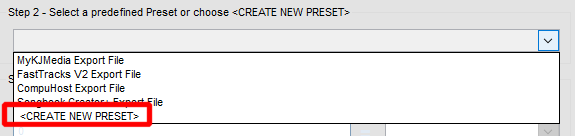
- A sample record (line) from the selected CSV file will automatically be loaded.
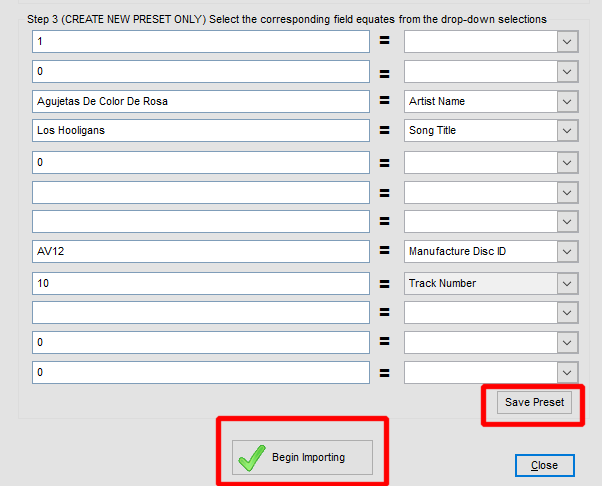
- Map each desired record field (Song Title, Artist, Disc ID, Track etc.) found in the left column to their corresponding field labels in the right column (see sample above).
REMINDER: It is not necessary to map ALL fields, only those you wish included in your SOngbook after importation.
- You may optionally save your format as a preset by selecting "Save Preset" (Highlighted above).
- And lastly, simply select "Begin Importing".
That's it!